On Google Play
4k Video Editor
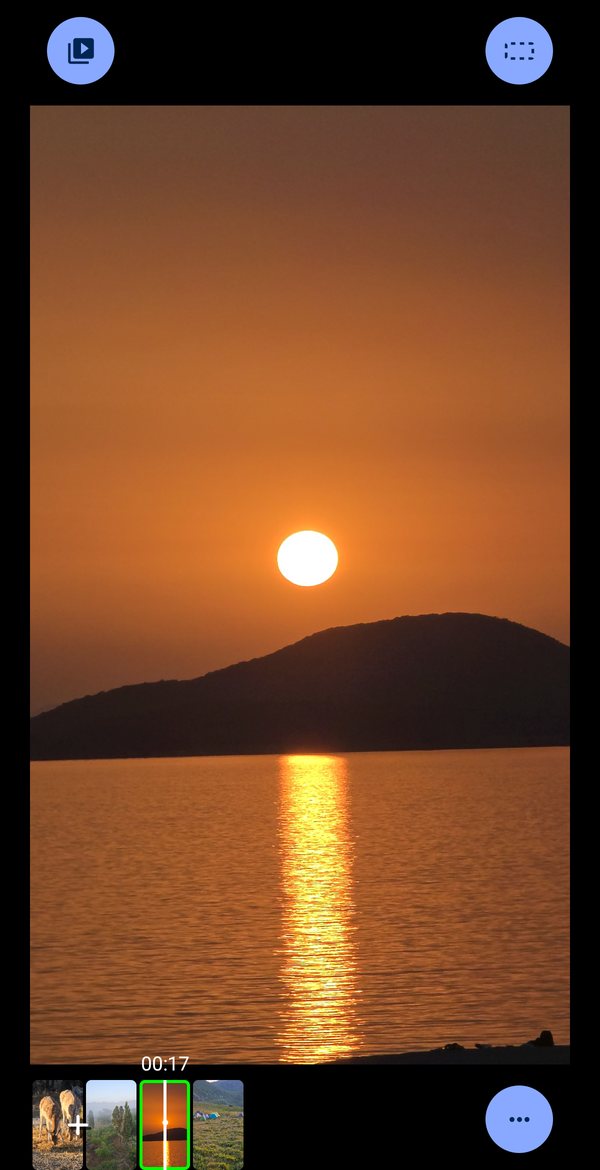
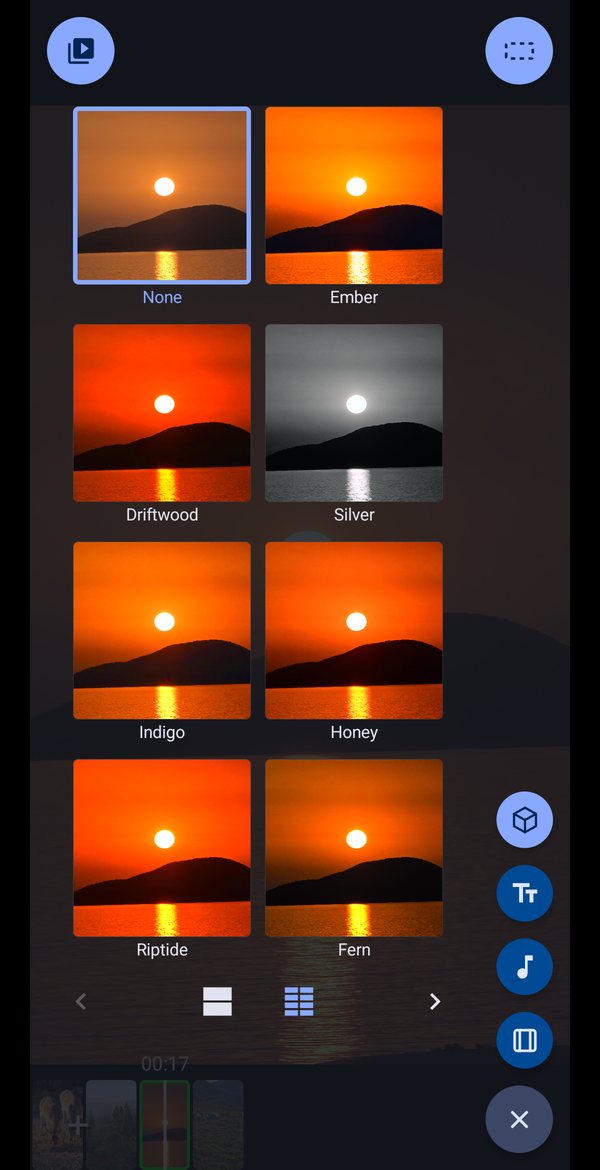
Rebuilt from the ground up. A timeline you can zoom to a single frame, film looks you see on your own footage before you choose one, and 4K export straight to your gallery.
No ads. No watermark. Nothing behind a subscription.
Requires Android 14 or later. The interface is in English.
What it does
Edit
- A timeline you zoom with two fingers, from whole film to single frames
- Cut at the playhead and drop what you do not want
- Speed, volume and crop, adjusted by gesture on the picture itself
- Undo anything
Look
- Film looks applied to your own footage before you choose one
- Colour and effect filters, previewed live rather than guessed at
- What the preview shows is what the export gives you — the same shader runs in both
Sound and words
- A music track: trim it, place it, leave silence where you want silence
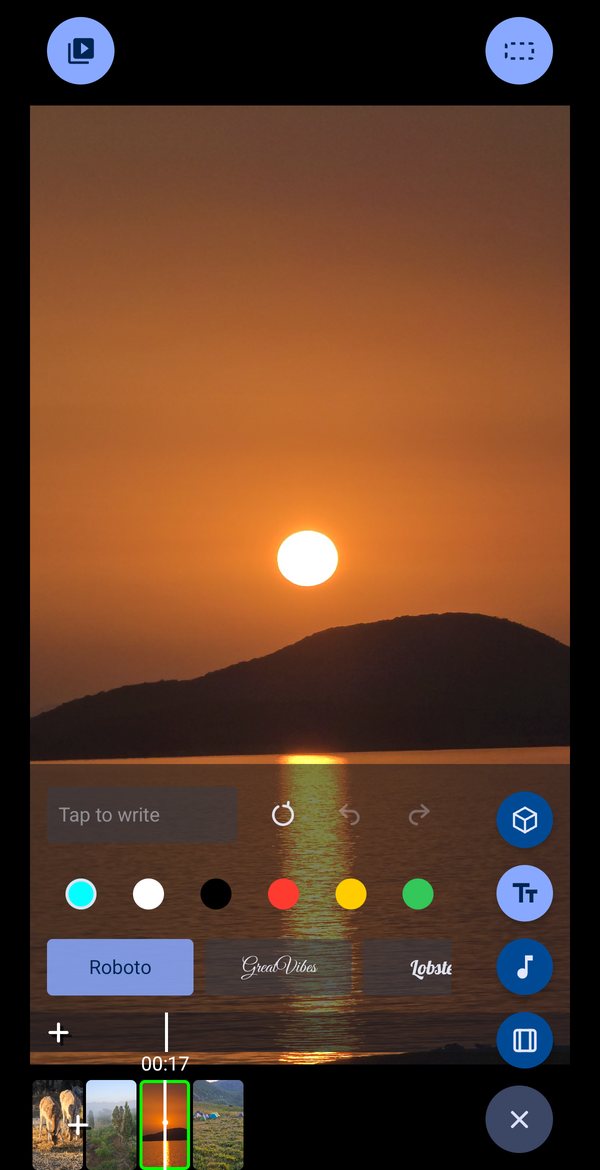
- Text and captions, placed on the frame
- Draw on any clip
Shape
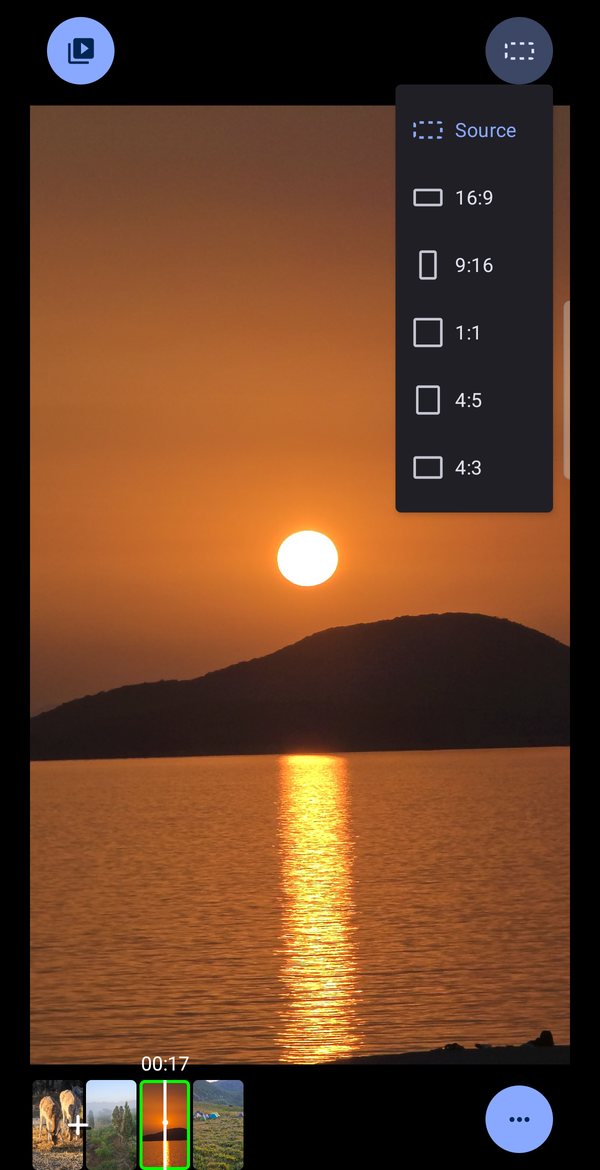
- Widescreen, vertical, square, 4:5 or 4:3 — chosen before you edit, not at export
- Nothing you shot is ever cropped away by a change of shape
- The app turns with your film: pick a vertical shape and it stays vertical
Export
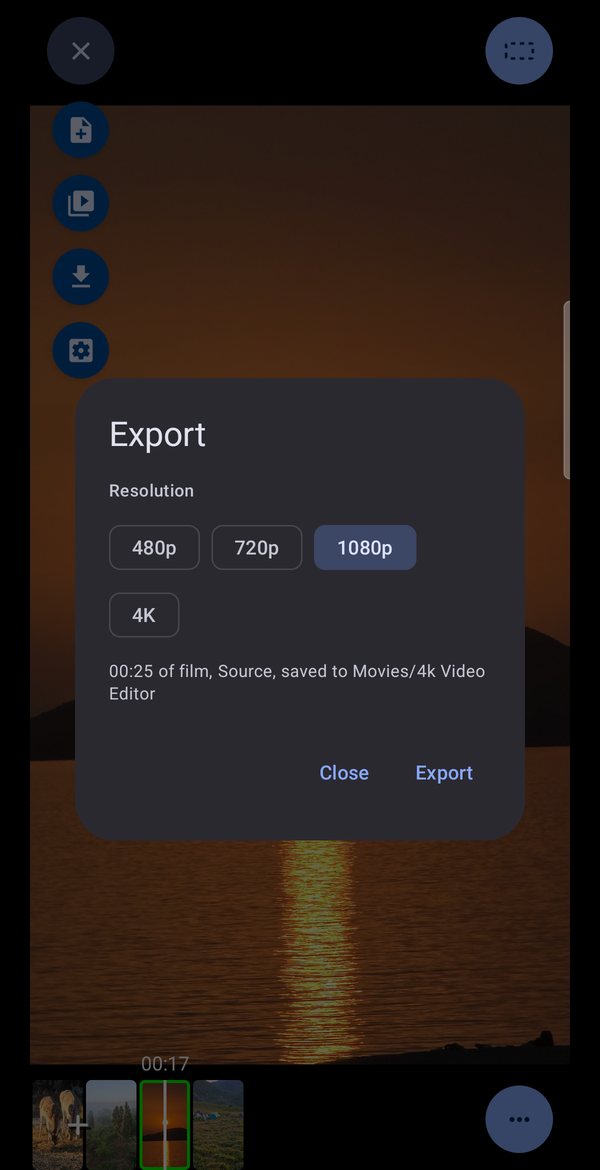
- 480p, 720p, 1080p or 4K, straight to your gallery
- HDR footage stays HDR when your film can keep it
- No watermark — there has never been one and there will not be one
Privacy
- It never asks for access to your photo or video library
- It opens only the files you pick yourself
- No account, no sign-in, no analytics, no ads
- The whole policy, in plain words
Something exported wrong?
That is the one report worth more than any other. Audio drifting out of sync, a file that will not play, a colour that is not what the preview showed — send the device model and what you were editing.